

- The StopWatch API can only be used by our 💫 Unlimited subscribers. Review all subscription options here.
- The StopWatch API is only relevant to customers using App Objects Mode. For customers using the legacy Custom Objects Mode, please use HubSpot’s Custom Objects API directly.
Secure Auth
Industry-standard Bearer token authentication with hashed storage.
Smart Pagination
Automatic rewriting of HubSpot pagination links for intuitive paging.
Header Forwarding
Critical HubSpot metadata (like rate limits) is passed directly to your app.
Fully Versioned
Built for long-term stability with versioned endpoints.
Why use the StopWatch API?
HubSpot restricts the programmatic access to App Object records to the developer providing the given app. This means that while our customers can see their StopWatch Time Log records in HubSpot’s UI, they cannot extract them programmatically using standard HubSpot API authentication methods. The StopWatch API provides a secure layer that uses the StopWatch App’s permissions to create, read and update records on your behalf, giving you the access you need to programmatically interact with your StopWatch Time Log records.Base URL
The API’s base URL is:Authentication
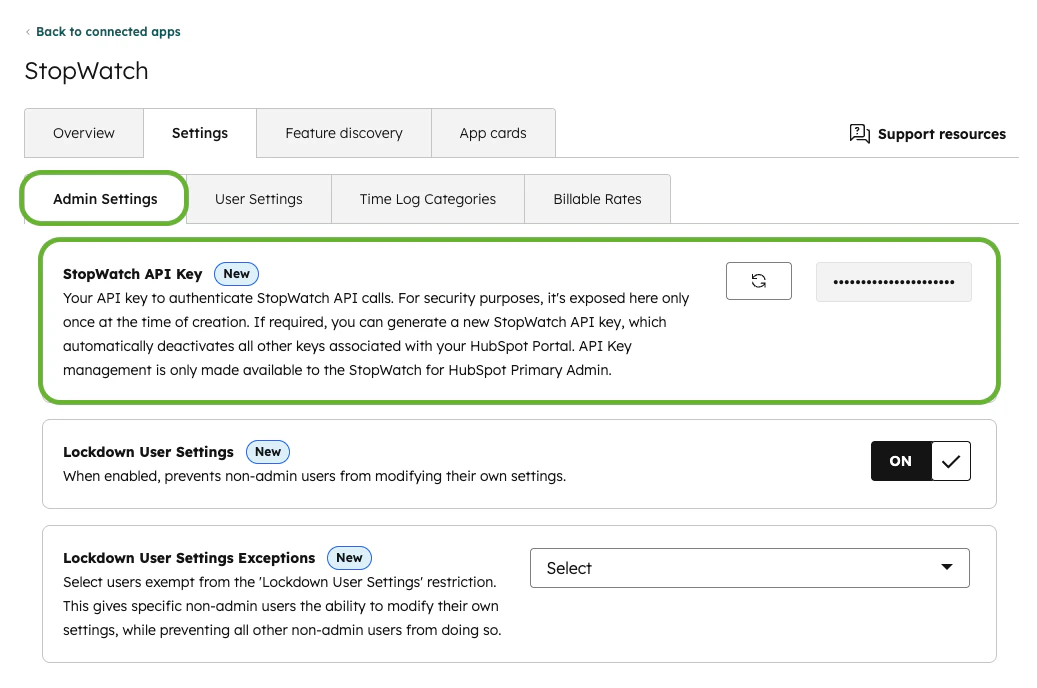
All requests to the StopWatch API must include anAuthorization header with a static bearer .
API keys can be managed from within HubSpot, within the app’s Admin Settings tab. Only the account’s Primary Admin can manage API keys. See our Usage Guide’s App Settings section for more information.
Key Features
Link Rewriting
When you fetch a list of StopWatch Time Log records or HubSpot Owners, HubSpot . We automatically rewrite these links so you can use them directly in your next request:Owner Lookup
Use the List Owners endpoint to retrieve validhubspot_owner_id values before creating Time Logs through the API. Use the returned Owner id values when setting hubspot_owner_id in your create Time Log requests.
Response Headers
The followingx-stopwatch-* headers are supplied in the majority of cases:
We also forward all
x-hubspot-* headers from the underlying HubSpot response. This allows your integration to monitor rate limits in real-time. These headers could include:
x-hubspot-correlation-idx-hubspot-ratelimit-interval-millisecondsx-hubspot-ratelimit-maxx-hubspot-ratelimit-remainingx-hubspot-ratelimit-secondlyx-hubspot-ratelimit-secondly-remaining
Next, explore our API Reference to start building.